Reporting J+S courses with MyTennis.School
MyTennis.School turns the attendance lists of your tennis groups into the files for the national sports database (NDS) of Youth+Sport (J+S). Coaches record attendance as usual. At the end of the course you download aktivitaeten.csv and awk.csv, and the J+S coach imports them into the NDS. Here is how it works, step by step.
Updated: September 2026
Who does what
| Role | Task |
|---|---|
| Parents | Enter the child's AHV number when signing up |
| Coaches | Record attendance after every lesson, enter cancellations and breaks |
| School management | Enters the person numbers in the group's J+S tab and downloads the files |
| J+S coach | Registers the course in the NDS, enters the leaders, imports the files and closes the course |
Step by step
From the locked course to the import into the NDS. The screenshots show the app in German. Choose a step or go through them with «Next».
Step 1 of 5 · School management
Open the group and prepare the people
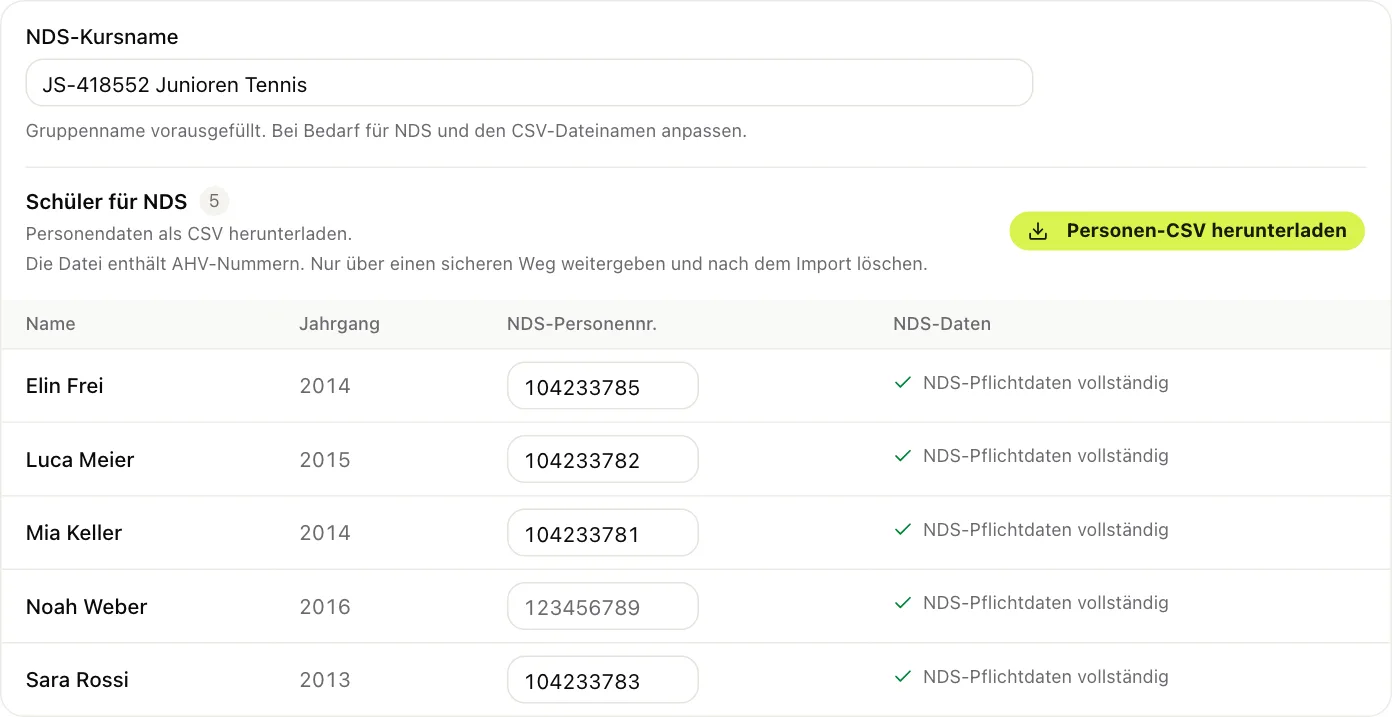
- In the planner, open the locked group and choose the «J+S» tab. The school management of Swiss schools sees this tab.
- Enter the NDS course name: number and name of the approved course.
- The «NDS-Daten» column shows who is still missing details, such as the AHV number.
- If children are missing from the NDS course, download the people CSV. The NDS finds children by their AHV number.
Step 2 of 5 · School management
Enter person numbers
The NDS gives every child and every leader a person number. You type it into the field once per person and confirm with Enter. The number belongs to the person, not to the group, and is already there for the next course. The leaders' AHV number and date of birth are shown so that the J+S coach can enter them in the NDS.

Step 3 of 5 · Coaches
Record attendance during the season
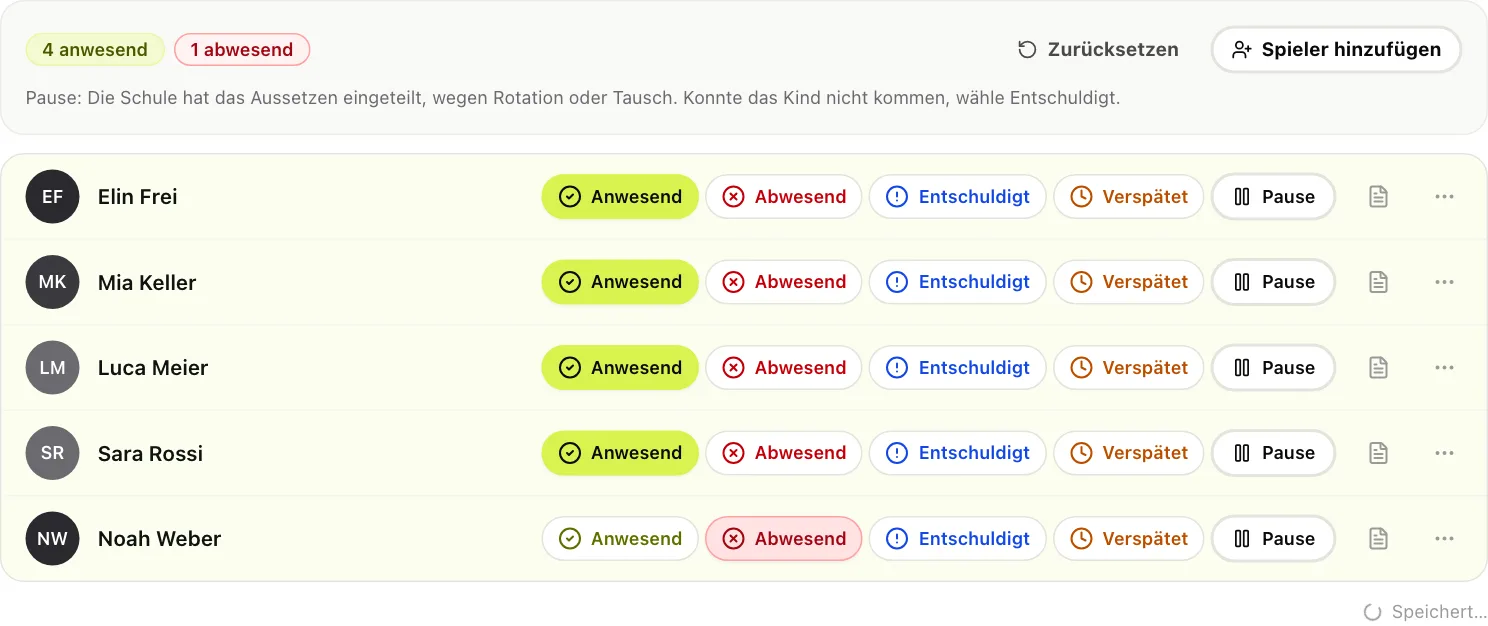
- After every lesson the coach marks each child: present, absent, excused or late.
- «Late» counts as present for J+S.
- If a lesson does not take place, it is cancelled. Paused and deregistered children are not expected for that lesson.
- Nothing is entered in the NDS during the season.
Step 4 of 5 · School management
Check attendance
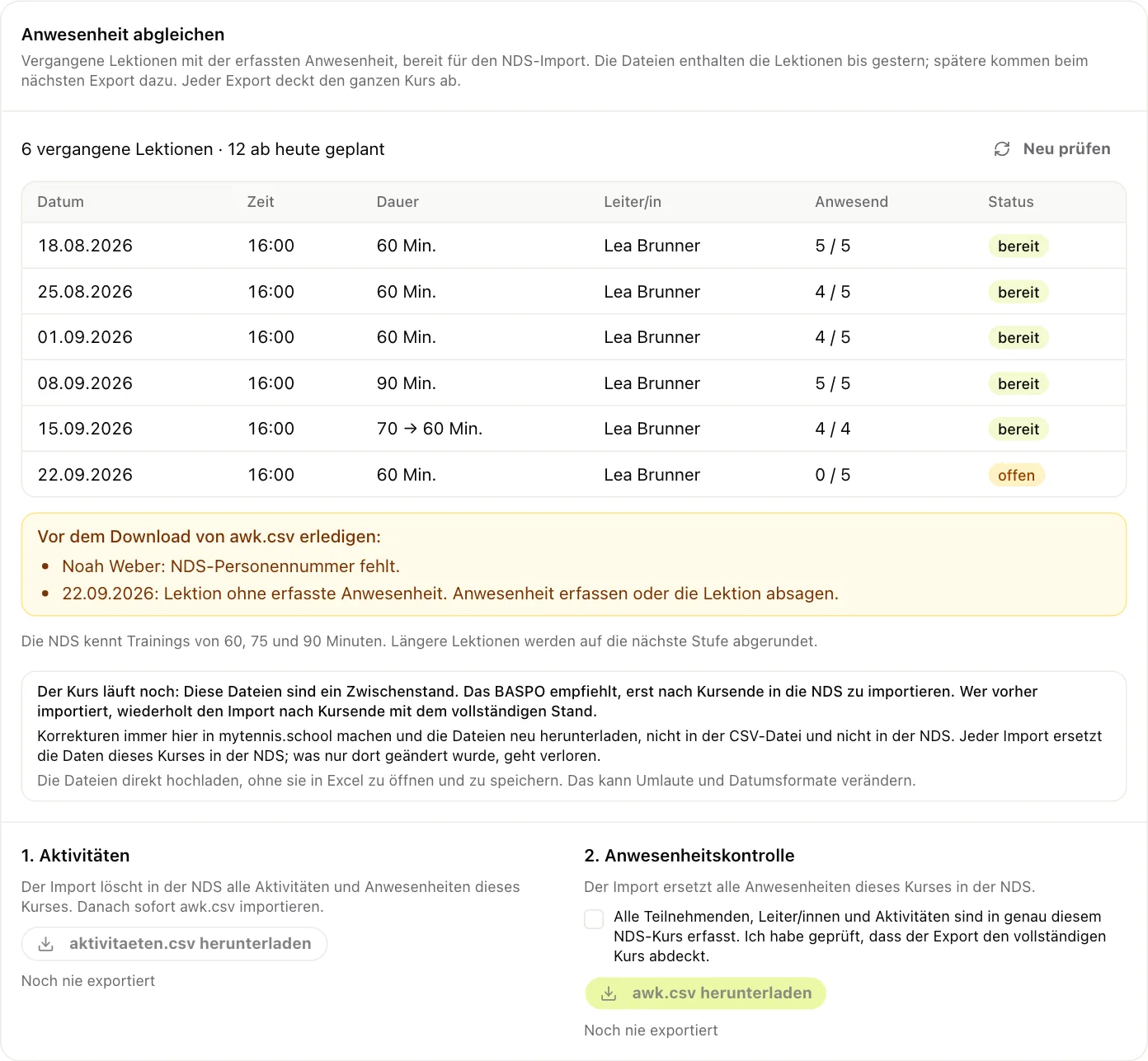
The J+S tab lists every past lesson with date, time, duration for the NDS, leader and those present. A yellow box shows what is still missing before the download, for example a lesson without recorded attendance or a missing person number. As long as it is there, the downloads are locked.
Step 5 of 5 · School management and J+S coach
Download and import at the end of the course
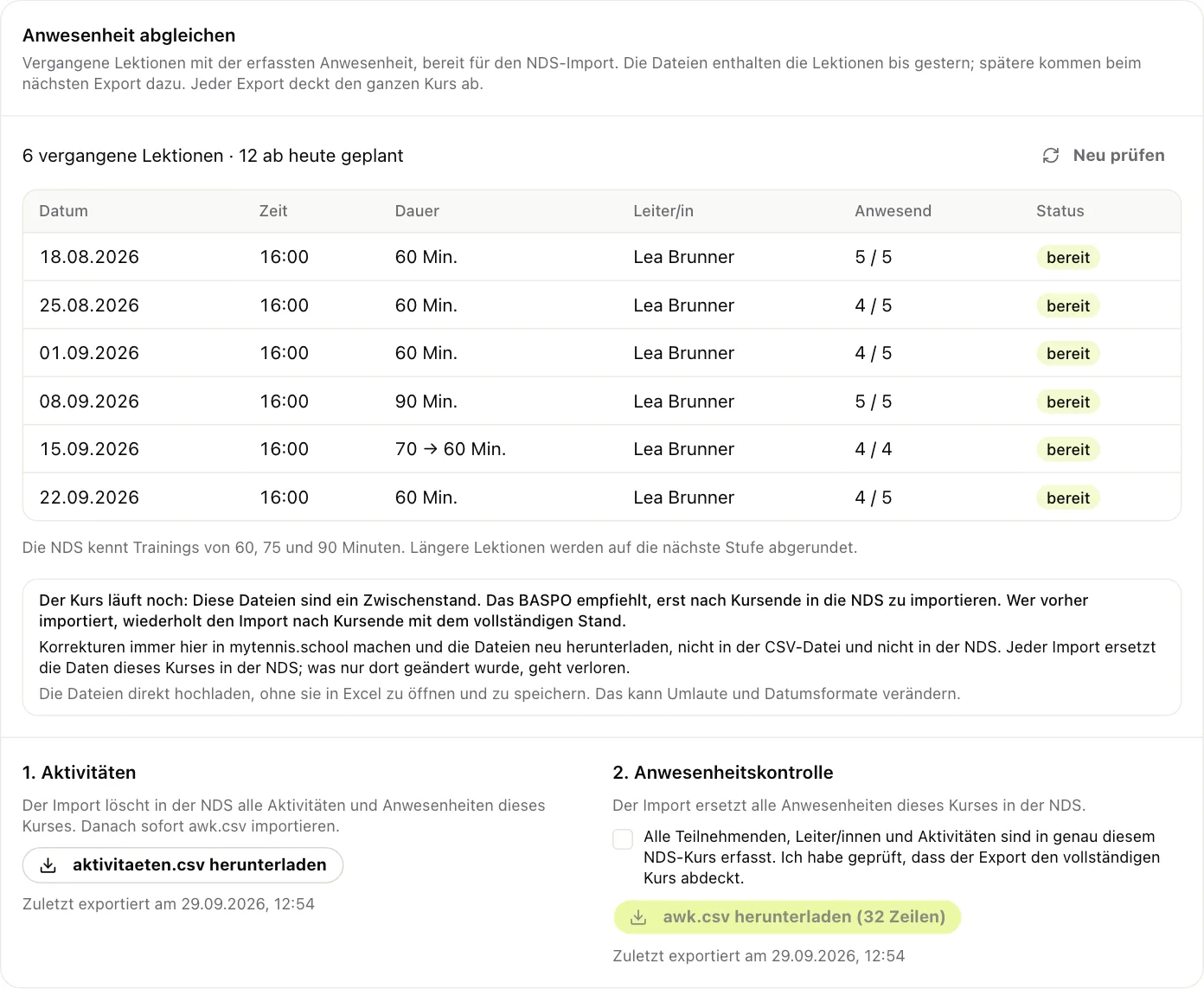
- From the day after the last lesson, confirm that all people and activities are in the NDS course.
- Download aktivitaeten.csv and awk.csv on the same day and do not edit them in Excel.
- The J+S coach first imports aktivitaeten.csv, then awk.csv. Every import replaces the course's previous data.
- Check the course in the NDS and close it no later than 30 days after the last lesson.
What MyTennis.School checks for the NDS
| NDS rule | How MyTennis.School applies it |
|---|---|
| Sessions last 60, 75 or 90 minutes | Longer lessons are rounded down, lessons shorter than 60 minutes are not exported |
| One session per course and day | With two lessons on the same day, the longer one counts |
| Children aged 5 to 20 | Children outside the age range are not exported |
| Import only after the end of the course | During the season you can download an interim version to check |
| Files based on the official templates | CSV with the columns of the NDS templates for people, activities and attendance |
Frequently asked questions
For attendance, yes: every line in awk.csv needs it. For the people import the AHV number is enough. You enter the number once per child, and then it applies to all courses.
You can download an interim version at any time. FOSPO recommends importing into the NDS only after the end of the course. Every import replaces the course data, so you always make corrections in MyTennis.School and download again.
Late children count as present. Paused and deregistered children are not expected for the lesson concerned and are not exported.
No. The NDS interface is only open to J+S partner organisations. MyTennis.School creates CSV files based on the official templates, which the J+S coach uploads to the NDS.